- HubPages»
- Technology»
- Computers & Software»
- Computer Software
AutoCAD for 3D Modeling (Computer Aided Design & Draft)

My CAD Project
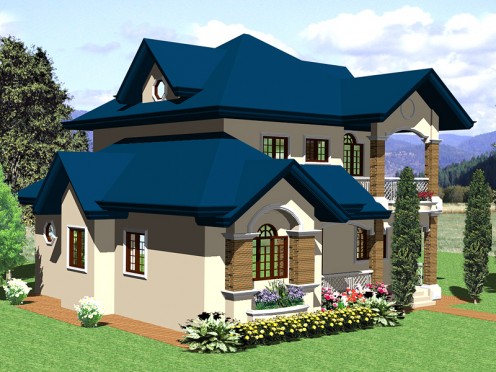
AutoCad Software for 3D
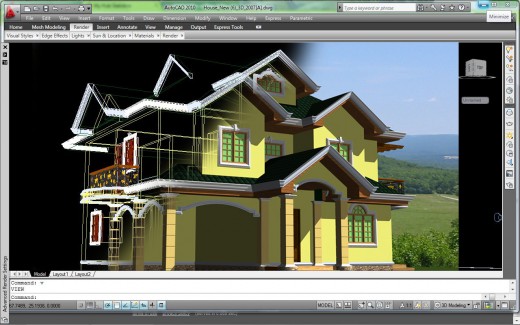
I've been using AutoCad program since 1998, and by that time I use AutoCad release 14. I was very impress with this software not only because AutoCad is user friendly but - you can find all the tools that you need for drafting - from 2d to 3d and more efficient. You can use command either from menu, tools icon or from command line. Although R14 is not yet fully developed by that time but it was the best software i ever use until today - AutoCad has getting more and more advance... from tools, pellets and additional tools for 3d (3d orbit, steering & cube) - makes it very easy to view your model in all angle, more faster to create 3d modeling and accurate. Using AutoCAD program you have TOTAL CONTROL on your model.
My 3d Rendering in AutoCAD
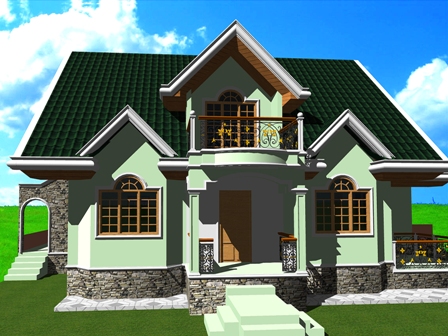
Well to add more realistic tin rendering, Auto CAD is equip with Geographical location option, sun light angle and northing direction - best for High rise building or residential buildings model. In this way you may see the real light effect of where the shadow will fall. Shadow really add more realistic to your model when there is some contras and different of tone shades in your model (see my rendered Residential house). All of these adjustment you can find it on the Render and Light Pellets for AutoCad 2007 - 2010. And if you can adjust it correctly, more likely you will be impress to see almost the same effect as in actual - provided that must you have a High graphic card installed in your computer for a good result .A graphic card that support geometry acceleration, smooth line display, gooch hardware shader, full shadow display and texture compression. So far, the AutoCAD 2007 - 2010 has improved their rendering engine in the program, only that they have omitted the landscape features – why? Well I didn’t really know exactly compared to the previous AutoCad. I guess they made it in separate pakage.
Adding fog to your back ground it’s very nice – it adds more perspective and atmospheric effects to your scene or environment. The density of the fog can simply tells you whether the object is far or near by causing the color of the object behind your model of back ground to appear saturated due to the fog.